
AI images: generate, remix & animate
Don't settle for a stock photo that's almost right. Create brand-new images from a description, remix any image already in your email until it fits the message, or bring your hero to life as a subtle animation — without leaving the Studio or opening a separate design tool.
What it does
Select any image in your design and the popover offers up to three modes. Remix this image changes what's already there: describe how you want it to change — a different season, a new color treatment, a fresh composition — and the AI generates a new version, optionally using the original as a visual reference. Generate new creates an image from scratch: describe what you want, pick a size, and the result drops straight into the slot. Animate (offered on hero-width images) turns the image into a short looping animation — describe the motion and the AI produces a GIF sized for the slot.
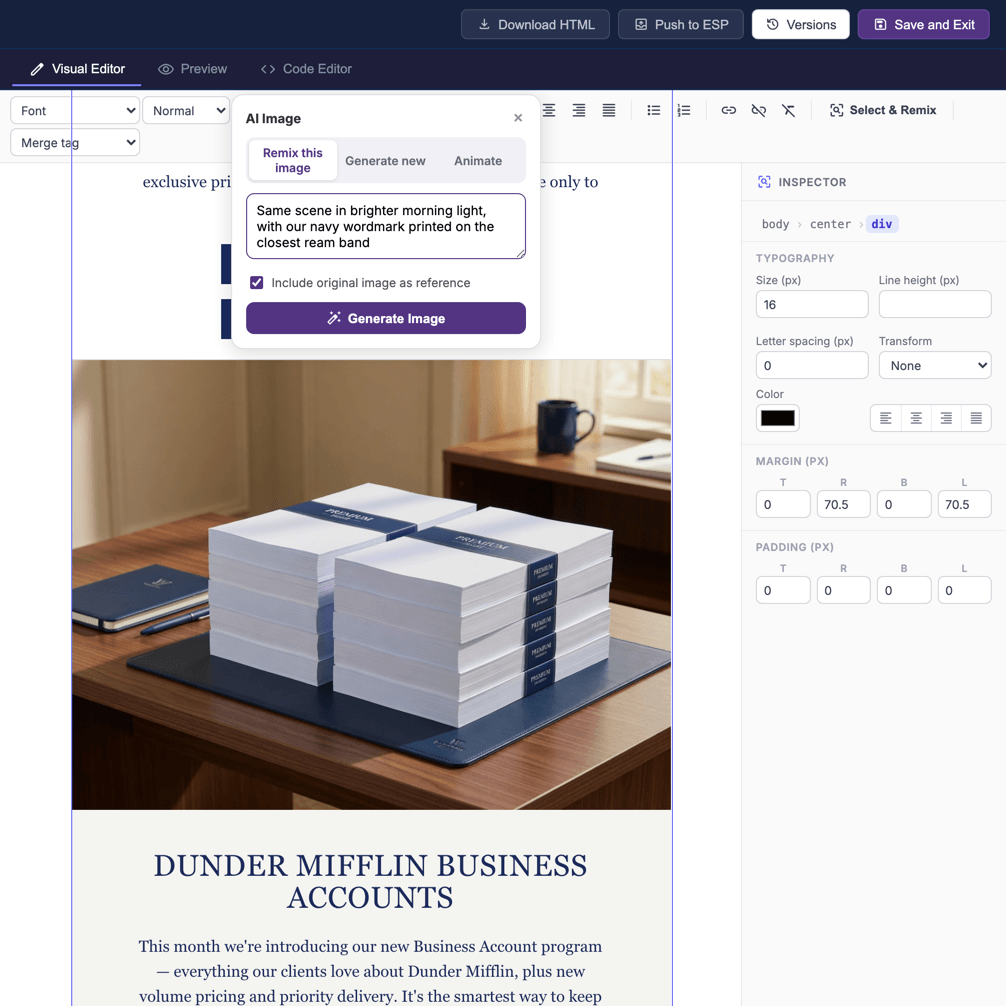
How to remix an image
- Select the image you want to change in the builder.
- Describe the result you're after — for example, “same product on a sunlit beach instead of a studio backdrop.”
- Review the generated options and keep the one you like.
- Continue editing, or revert to the original from your checkpoints if you change your mind.
How to generate a new image

- Select any image slot in the builder and switch the popover to Generate new.
- Describe the image you want — subject, setting, mood, and color.
- Pick a size preset: Hero (1200×600) for full-width banners, Square (800×800) for product shots, or Banner (1200×300) for slim dividers. The result is delivered at exactly those pixels.
- Leave Use my brand image style checked and the AI automatically applies your saved brand image style and palette, so new visuals match your identity without restating it in every prompt.
You can also ask for new images in chat — say “add a hero image of a mountain sunrise” and the assistant places a generated image at the right spot in the design, sized for the slot and styled to your brand.
How to animate a hero image

- Select a hero or banner image in the builder — the Animate tab appears on images wide enough to be a hero slot.
- Describe the motion, not the scene: “clouds drift slowly across the sky, light shimmers on the water” works far better than restating what the image shows.
- Click Animate Image. The AI generates a short looping animation from your image and swaps it into the slot as a GIF, at the slot's exact dimensions.
Animations are automatically kept email-friendly: anything heavier than about 1.5 MB is re-encoded at a reduced palette and size, and if it still can't be brought under the weight ceiling the Studio tells you instead of shipping an email that drags. You can also animate from chat — say “make the hero feel alive, gentle motion in the background” and the assistant animates the hero in place.
Great prompts for images
- Be specific about subject, setting, mood, and color.
- Mention the format you need (wide hero, square, product close-up).
- Reference your brand palette so visuals stay consistent — or run Remix for My Brand afterward.
Token usage
Image generation is one of the more compute-intensive AI features, so each remix, generation, or animation draws from your monthly AI token allotment — one charge per image, including animations (an animation is metered once regardless of how many frames go into it). If you're iterating heavily on visuals, keep an eye on your remaining tokens — they reset every billing cycle and scale with your plan.
Getting the result you want
Image generation rewards clear, descriptive prompts. If the first result isn't right, refine your description rather than repeating it — add detail about the lighting, angle, or background, or call out what to remove. Small, specific adjustments steer the AI far better than vague retries.
Frequently asked questions
Can I get my original image back? Yes. Remixing is non-destructive — your earlier versions are preserved as checkpoints, so you can always revert.
Will remixed images stay on-brand? Mention your brand colors and style in the prompt, draw on your brand assets, or run Remix for My Brand afterward to align the whole email at once.